Introduction: The Big Choice
So, you want a website. Maybe it is for your small business, your portfolio, or just to share your passion. You have heard of two big names: Wix & WordPress.
But which one is right for you?
Wix vs WordPress is the classic question for anyone building a website in 2026. One promises to get you online in an hour with zero tech skills. The other promises total freedom and power but sounds a bit more complicated.
In 2026, The answer is not just about which one is “better” overall. It is about which one is better for your specific goals.
If you want something quick and easy for a small site, Wix is your friend. If you want to build a serious business that can grow forever, WordPress is the champion.
Let’s break it down in simple, So you can make the right choice without the headache.
What Are They, Really?

Before we dive in, let’s clear up the confusion.
Wix is like an all-in-one vacation package. You pay one price, and it includes your hotel (hosting), your food (tools), and your entertainment (design). You don’t have to worry about a thing. You just show up and enjoy.
WordPress specifically (WordPress.org) is like building your own house. You get the land (hosting), the bricks (themes), and the tools (plugins). You can build a mansion or a cottage, but you are the contractor. You have to hire the plumber (updates) and the security gaurd (security) yourself, or pay someone to do it.
Both are amazing, but they work very differently.
1. Ease of Use: Who Wins?
Wix: The Drag-and-Drop King
If you have ever used Powerpoint or Canva, you can use Wix.
- How it works: You pick a template, click on a text box, and type. You drag an image From the side and drop it where you want it.
- The Good: It’s incredibly fast. You can have a site live in an afternoon. No coding, no setup.
- The Bad: You can’t move things too freely. If you pick a template, you are mostly stuck with its structure. If you want to change the layout completely later, it can be tricky.
WordPress: The Learning Curve
WordPress is more like using a car with a manual transmission. It has more power, but you need to know how to shift gears.
- How it works: You install a theme, then use a “block editor” (like Lego blocks) to build your pages.
- The Good: Total freedom. You can make the site look exactly how you want.
- The Bad: There is a learning curve. You need to learn how to install plugins, manage updates, and tweak settings. It might take a few days or weeks to feel comfortable.
Winner: Wix for pure simplicity. WordPress for total control.
2. Design and Flexibility: How Pretty Can It Be?
Wix
Wix has hundreds of beautiful templates. They look modern and professional right out of the box.
- The Catch: You can’t switch templates later. If you love a template but hate the colours, you have to redo the whole site. Also, once you publish you can’t switch to a different template style without starting over.
WordPress
With WordPress, you can change your entire look with one click.
- The Power: There are over 10,000 free themes. You can switch from a “business” look to a “blog” look instantly. Plus, With plugins like Elementor or Divi, you can design anything you can imagine.
Winner: WordPress wins on flexibility. Wix is great, but you’re locked in once you start.
3. SEO: Which One Ranks Better On Google?
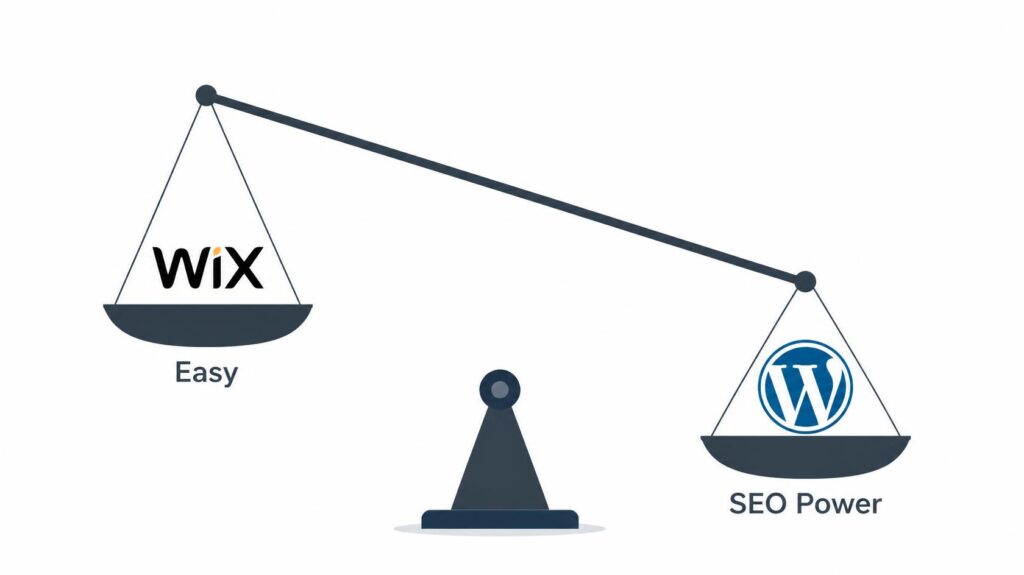
This is the big one. You can have the prettiest site, but if Google can’t find it, it doesn’t matter.
Wix in 2026
Wix has improved a lot. They now even let you edit your page titles, meta descriptions, and URLs. They even have a built-in “SEO Wizard” to guide you step by step.
- The Limit: You can’t edit the technical “under-the-hood” code. If you need to do something very advanced to a specific Google error, you might be stuck.
WordPress
WordPress is the of SEO.
- The Power: You can instal free plugins like Yoast SEO or Rank Math. These act like a personal coach, telling you exactly how to write your content so Google loves it.
- Speed: WordPress sites can be made incredibly fast (which Google loves) if you choose good hosting. Wix sites can sometimes be a bit slower because they carry a lot of extra code.
Winner: WordPress takes the crown for serious SEO. Wix is “good enough” for small local businesses, but WordPress wins for competitive keywords.
If you are planning to sell products, make sure you also check out our guide on Ecommerce SEO to ensure your store ranks.
4. Cost: How Much It Really Cost?
Let’s talk money.
Wix
Wix is simple. You pay a monthly fee.
- Basic Plan: Around $16-$20/month.
- What you get: Hosting, security, and the builder are all included.
- The Hidden Cost: If you want to remove Wix ads or add advanced features (like booking systems), you have to upgrade to more expensive plans. It can get pricey fast.
WordPress
WordPress software is free. But you have to pay for:
- Hosting: $5-$30/month (depending on how fast you want it to be).
- Domain Name: $15/year.
- Premium Themes/Plugins: $50-$100 one-time or yearly (optional).
- The Benefit: You can start very cheap ($5/month) and upgrade later. You own your data and are not forced to pay for features you don’t need yet.
Winner: WordPress is cheaper in the long run, especially if you grow big. Wix is easier to budget for at the start.
5. E-Commerce: Selling Products Online
Do you want to sell things?
Wix
Wix has a built-in store. It’s great for selling 10-50 items. You can accept payments, track inventory, and manage shipping easily.
- The Limit: If you 500+ products, the site might get slow. It’s also harder to do complex things like “buy one, get one free” or custom bulk discounts without paying for extra apps.
WordPress (WooCommerce)
WordPress uses a plugin called WooCommerce. It turns your site into a powerful store.
- The Power: You can sell anything. Physical products, digital downloads, subscriptions, memberships. There are plugins for every possible feature.
- The Catch: You have to set it up yourself. It’s More work but it’s worth it for big stores.
Winner: WordPress for serious stores. Wix for small side businesses.
6. Ownership and Control: Who Owns Your Site?
This is a critical point many people miss.
Wix
You are renting space on Wix’s servers. If Wix decides to ban your account or change their rules you have little recourse. You also can’t move your site to another host easily. you are stuck in the “Wix ecosystem”.
WordPress
You own everything. You bought the hosting. you installed the software, and you have the files. If you don’t like your hosting company, you can move your site to another one in minutes. You are the boss.
Winner: WordPress hands down. You own your digital future.
7. Support: Who Helps You When Things Break?
Wix
Vicks has 24/7 support. You can call them or chat with a real human. This is a huge plus for beginners who panic when a button stops working.
WordPress
There is no “official” WordPress support theme because the software is open-source.
- The Fix: You rely on your hosting company’s support, online forums, YouTube tutorials, and your own research.
- The Good: Because So many people use it, You can find a solution to any problem Online for free.
Winner: Wix for hand-holding. WordPress for self-reliance.
The Final Verdict: Which Should You Choose?
Okay, let’s make it simple.
Choose Wix If:
- You are a beginner and want to launch today.
- You have a small business (like a bakery, salon, or portfolio) with 10-20 pages.
- j You don’t care about scaling to one 1000 pages later.
- You want someone to call when something breaks.
- Budget: You don’t mind paying a fixed monthly fee.
Choose WordPress If:
- You are building a business with plan to grow for 5+ years.
- You care deeply about SEO and ranking on Google.
- You want to own your website and not be tied to one company.
- Budget: You are willing to spend a little time learning or hiring help to save money long-term.
Quick Comparison Table
| Feature | Wix | WordPress |
| Ease of use | Very easy | Learning curve |
| Design Flexibility | Limited | Unlimited |
| SEO Power | Good | Best |
| Cost (Long Term) | High | Lower |
| Ownership | Rented | You Own It |
| Support | 24/7 Human Support | Community & Forums |
| Best For | Small Biz, Portfolio | Scaling Business, Blogs |
Conclusion: Don’t Let “Easy” Trap You
It’s tempting to pick the easy option Wix is fantastic for getting started but Remember easy today can be expensive tomorrow.
If you plan to grow, build an audience, or rank on Google, WordPress is the only choice that won’t hold you back. It is the platform used by giants like the New York Times, Sony, and NASA. It’s built to scale.
But if you just need a simple digital business card and want to be done in an afternoon, Wix is a safe and beautiful bet.
Ask yourself: “Do I Want a website that is easy to make, or a website that is built to grow?”
FAQ: Your Questions Answered
‘Q: Can I switch from WIX to WordPress letter? A: Yes, but it is not automatic. You have to manually move your text and images, and your links might break. It’s better to start with wordpress if you think you will switch later.
Q: Is Wix bad for SEO? A: No, it’s not “bad”. It’s just limited. For a local coffee shop, Wix is fine. For a national brand trying to rank #1 WordPress is much better.
Q: How much does a WordPress site cost per month? A: You can start for as low as $5-$10/ month for hosting. If you add premium themes and plugins, it Might go up to $20-$30/month, But you get much more value.
Q: Do I need to know coding for WordPress? A: No! In 2026, you can build a beautiful side without any coding using drag-and-drop builders like Elementor or the default Block Editor.
Q: Which one is safe? A: Wix Handles security for you. With WordPress you have to install security plugins and keep things updated, but it’s very secure if you do that.
By choosing the right platform today , you are setting the foundation for a website that can grow, rank and succeed for years to come.