Local SEO for Small Businesses in
Sonipat: How to Rank on Google
What Is Local SEO?
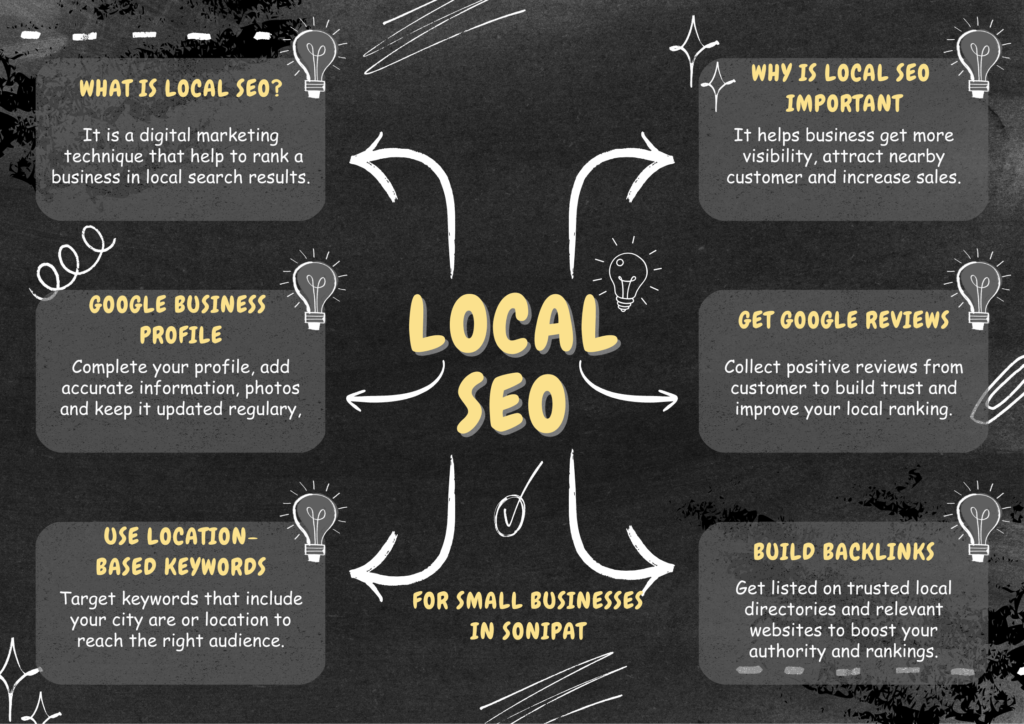
Local SEO means Local Search Engine Optimization. When any customer searches on
Google for ‘best digital marketing agency near me,’ Google checks his location and
shows the best digital marketing agencies in that area. And the work of Local SEO is to
bring your profile into the top 3 ranks in the SERPs(Search Engine Result Page)
Why Is Important Local SEO for Small Businesses in
Sonipat?
For small businesses in Sonipat, local SEO is very important. Today when people want to
find any shop or service business, they first search on Google.
If your business appears on Google search and Google Maps, only then people become
interested to know about you or prefer to come to your shop or take your service.
If it doesn’t appear on Google Maps, then the customer feels that either it is fake or it doesn’t
exist at all. So, having local SEO is very important for you.
To increase visibility on Google Maps, with Local SEO your business appears better on
Google Maps and in local search results.
How to Optimize Your Google Business
Profile
If you want to fix your Google Business Profile properly, just creating a profile is not enough.
You have to work on it continuously.
The correct way to optimize a Google Business Profile is:
1.Keep the business name correct:
Use your business name.
Use the business name exactly as it appears in reality. Do not add words just to boost
rankings
For example if the real business name is Digital Meta Monk do not change it to
something like Best DigitalSolution, in SonipatDigital Meta Monk unless that is truly the
name of the business.
2.Optimize the business description correctly:
Explain your business description very clearly
● what services you are providing
● Where you are providing your services,
● why someone should take service from you
● what different you will do for their business
3.Keep address and services area correct
If you have a physical office, then add the address. If you provide service by going to the
customer’s location, then set the service area.
4.Update phone number, website, and Business Hours
Correctly update your
● Phone number
● Website
● Opening hours
● Holiday hours
if you enter this information incorrectly, customers will not trust you.
5.Add Services, Products, Photos and Videos
Add all the services you provide or products you sell and add high-quality photos and videos
● Office
● Team
● Products
● Work samples
● Business location
● Logo
● Completed projects
Regularly adding useful business information can make your profile more informative for
potential customers.
6.For customer reviews
After completing the work, genuinely ask customers for reviews. Ask them, ‘Sir, how did you
like our service? Please tell us honestly
And reply to all customers who have given reviews, including negative reviews. You should
reply to negative reviews as well
And never create fake reviews by making fake accounts.
7.Do regular performance checks
Check the performance data of your Google Business Profile to see how customers are
finding you and what actions they are taking. Keep checking them regularly
How to Find the Right Local SEO
Keywords
The best way to local keywords is not to search only for broad keywords like (digital
marketing) but to find keywords by
combining service + location + customer.
Use Service + Location Keywords
Make a formula
For example:
● Digital Marketing Agency Sonipat
● SEO Services Sonipat
● Local SEO Services Sonipat
● Website Design Sonipat
● Social Media Marketing Sonipat
You can also research relevant nearby areas where your business actually operates.
For example:
● Digital Marketing Agency Murthal
● SEO Services Kundli
● Website Design Ganaur
2.Get keyword ideas from Google search
Put your keywords in Google like
For example, search for:
digital marketing agency
Then see people also search for below. Google autocomplete is also very useful. You will get
new keywords from it.
3.Research Google Maps
Search Google Maps for terms such as:
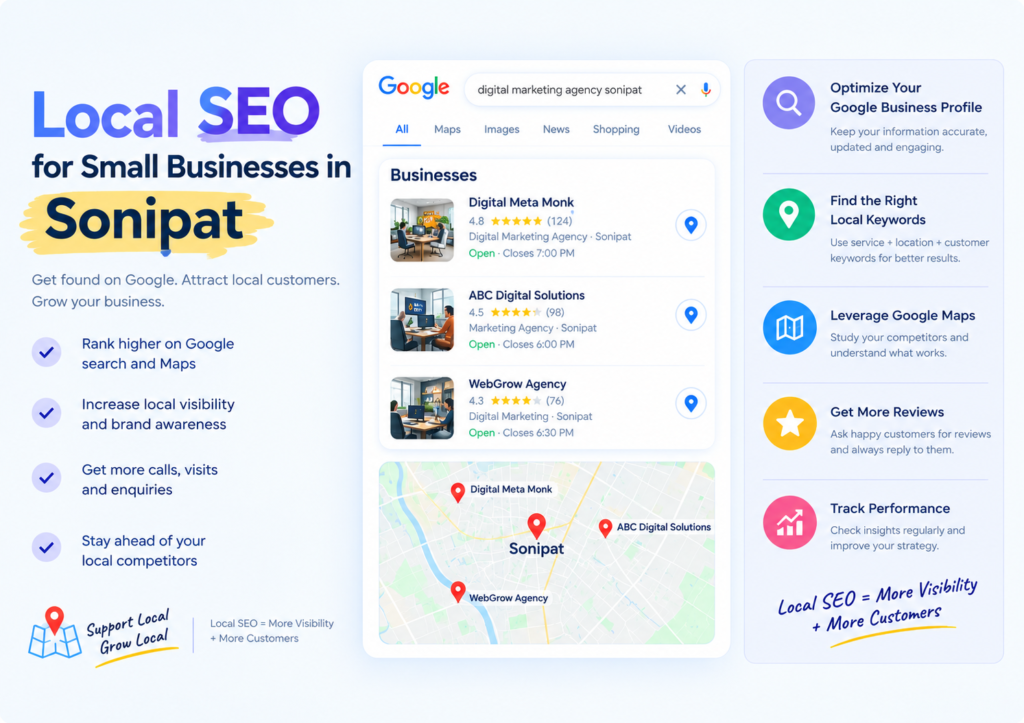
digital marketing agency Sonipat
Look at relevant competitors and study:
● Their business categories
● Services
● Business descriptions
● Customer reviews
● Website content
Do not copy their content. Use the research only to understand the market and identify
opportunities.
4.Verify data in keywords tools
Tools such as Google Keyword Planner and Semrush can help you understand:
● Search volume
● Keyword difficulty
● Search intent
● Competition
● Trends
How many people are searching for it, how much competition there is, whether the customer
wants to buy or is just looking for information. Check location, check trends – whether the
demand for the keyword is increasing or decreasing.
For you, in the beginning, keywords with 20 KD (Keyword Difficulty) can be good targets, but
don’t select keywords by only looking at KD.
5.Definitely choose commercial intent keywords
If your goal is to generate customers, don’t focus only on informational searches.
For example:
Informational:
“How does SEO work?”
Commercial:
“SEO services in Sonipat”
Someone searching for an SEO service may already be closer to making a purchasing
decision.
6.Target Problems Your Customers Search For
Customers don’t always know the name of the service they need.
They may search for a problem instead.
For example:
“How to grow business online Sonipat”
These keywords can bring both blog traffic and direct leads. That means these keywords can
bring both blog traffic and leads.
7.Don’t Stuff Too Many Keywords Into One Page
There is no need to put 20 -30 keywords on one page
Choose:
One Primary Keyword + Relevant Secondary Keywords
Then create content that satisfies the searcher’s actual intent.
The goal is to make the page useful for people first while making it easy for search engines
to understand the topic.
How to Get Google Reviews
The best way to get Google reviews is to ask every genuine customer for a review at the
right time.
Take the review link from your Google Business Profile and then send it to the customer on
their WhatsApp number. After the work is completed, tell the customer – if you liked our
services, please share your genuine feedback on Google. Your review can help our local
business grow a lot. Thank you for sending the Google review link along with it.
If you liked our services, please give a review on Google.
Make a QR code of the review link. Keep it in your office, put it on a board, and write below
the board – if you liked our services, you can give your review here. The customer can scan
it with their phone and directly reach the review page.
Don’t just ask for a five-star rating review. Tell that customer – if you liked our work, then
please share your honest feedback on Google. This way you will get genuine feedback.
And don’t make these mistakes:
● Getting reviews from fake Google accounts
● Buying reviews ·
● Getting reviews done from employees or friends ·
● Giving money or discounts to customers in exchange for a review
Local SEO for Small Businesses Mistakes
Should Avoid
Some common mistakes include:
Keyword Stuffing
Adding the same keyword repeatedly can make content unnatural and difficult to read.
Incorrect Business Information
Your phone number, address, website, and opening hours should be accurate.
Fake Reviews
Fake or purchased reviews can damage customer trust and violate platform policies.
Copying Competitor Content
Research your competitors, but create original content for your own business.
Ignoring Google Business Profile
Creating the profile and never updating or monitoring it means you’re missing opportunities
to keep your business information useful and accurate.
Frequently Asked Questions About Local
SEO
What Is Local SEO?
Local SEO means Local Search Engine Optimization. When any customer searches on
Google for ‘best digital marketing agency near me,’ Google checks his location and
shows the best digital marketing agencies in that area. And the work of Local SEO is to
bring your profile into the top 3 ranks in the SERPs(Search Engine Result Page).
How Long Does Local SEO Take to Show Results?
There is no fixed time for a local business to rank on Google,
Results can depend on factors such as competition, website quality, business relevance,
authority, content, Google Business Profile optimization, and the search query itself.
Some changes may produce improvements relatively quickly, while competitive keywords
can take considerably longer.
What Is Google Business Profile?
Google Business Profile is a free business listing tool from Google that helps your business
appear in Google search and Google Maps.
For example, if someone searches for “digital marketing agency in Sonipat”, then Google will
show them your business name, address, location, phone number, website, customer
reviews, open hours, photos, – everything.
How Much Does Local SEO for small Businesses Cost?
There is no fixed price for it.
The cost depends on the
● Business location
● Competition
● Number of services
● Website condition
● Number of locations
● Content requirements
● Google Business Profile work
● Overall SEO scope
A small local business may require a different strategy and budget than a business targeting
multiple cities.
Need Help Local SEO for small businesses in Sonipat?
If you want to improve your Google visibility, Google Maps presence, and local search
reach, professional SEO support can help you build a structured strategy.
Digital Meta Monk provides digital marketing services including:
● SEO & Local SEO
● Google Business Profile Optimization
● Keyword Research
● Website SEO
● Social Media Marketing
● Google Ads
● Meta Ads
● Website Design
● Content Marketing
If you’re a business owner in Sonipat and want to build a stronger online presence, you can
contact Digital Meta Monk.
Website: www.digitalmetamonk.com